No. 1 Fitness Management Software - Starting at ₹699/month
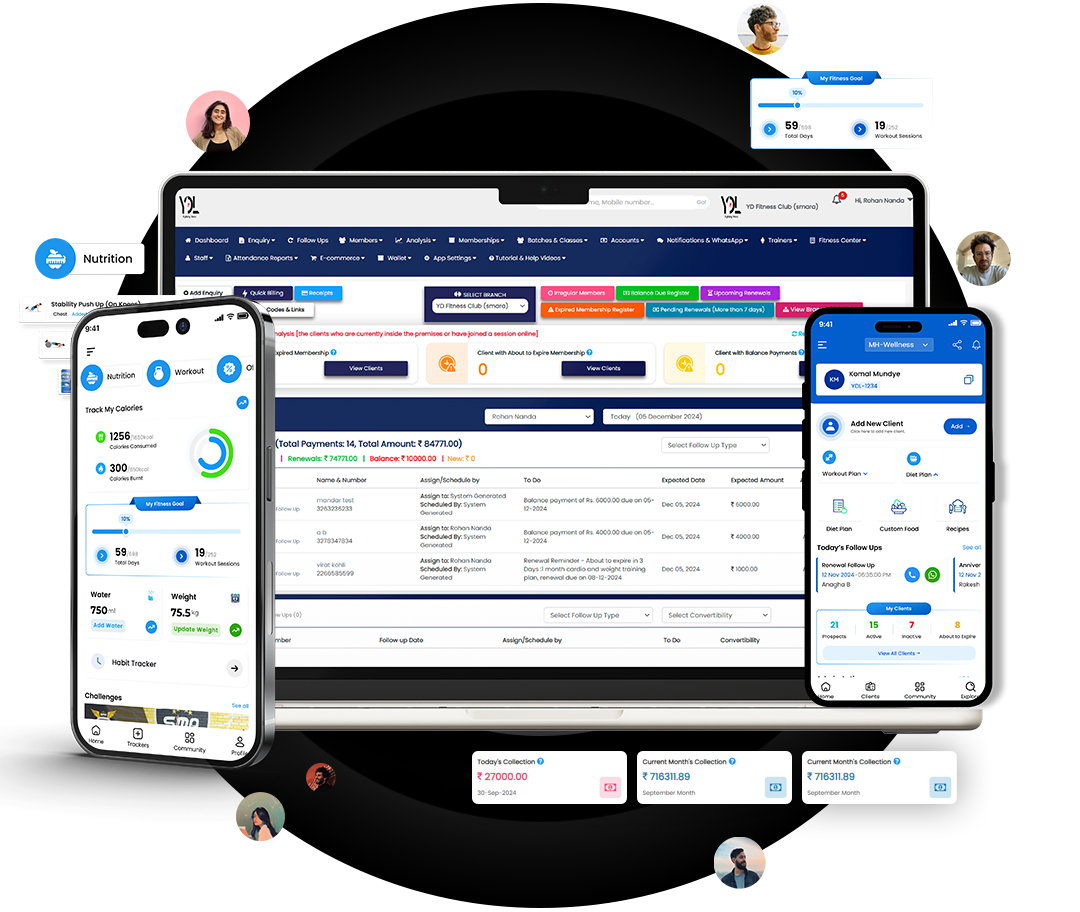
Choosing gym management software can feel harder than it should. Most platforms seem to offer similar features, while pricing plans can make direct comparisons difficult. The better approach is to start with your gym, not the software.
Think about the problems your team deals with every day. Are leads being missed? Are membership payments difficult to track? Is attendance still recorded manually? Do staff members spend too much time sending reminders or preparing reports?
The right gym management software should make these everyday tasks easier, give you better visibility into your business, and save your team from unnecessary manual work.
Start With Your Gym's Needs
Before comparing software providers, make a list of what you actually need.
A small independent gym may have very different requirements from a multi branch fitness business. A Pilates studio may care more about class scheduling and capacity management, while a traditional gym may place greater importance on memberships, billing, attendance and lead follow ups.
Start by identifying your biggest operational problems.
Identify Your Biggest Operational Problems
Look at the areas where your team spends the most time. This could include:
- Managing new enquiries
- Following up with potential members
- Tracking memberships and renewals
- Collecting pending payments
- Recording attendance
- Managing trainers and staff
- Sending member reminders
- Preparing business reports
If software does not solve the problems that take up your team's time, having more features will not necessarily make it a better choice.
Consider Your Gym's Size and Business Model
Your software should match the way your business operates.
If you run one gym, you may need simple membership, billing, attendance and lead management.
If you manage several branches, you may need centralised reporting, branch level controls, staff permissions and a way to monitor performance across locations.
The same principle applies to Pilates studios, fitness studios and personal training businesses.
What Should Gym Management Software Include?
There is no single feature that makes software right for every gym. The important thing is whether the system covers the core operations your business depends on.
Membership and Lead Management
Your software should make it easy to manage member information from the first enquiry through membership renewal. Look for lead capture, follow up reminders, membership records, expiry tracking and conversion information. A good system should help your team see which enquiries are new, which need follow up and which have already converted.
Billing and Payment Management
Payment management is one of the areas where manual processes can quickly become difficult. Check whether the software can manage membership billing, invoices, payment records, pending payments and payment reminders. For gyms in India, also check whether the system supports the payment methods and GST invoicing requirements your business needs.
Attendance and Check In
Attendance software should make member check in quick for both staff and members. Depending on your requirements, you may want QR based attendance, biometric attendance or other access options. Do not only check whether attendance can be recorded. Look at the reports as well. Attendance data can help you identify members who have stopped visiting and may need follow up.
Staff and Trainer Management
If your gym has multiple employees or trainers, check how the software handles staff roles and permissions. You may also need staff attendance, trainer management, personal training sessions, performance information and commission or payroll features. The right level of access is important. Front desk staff should not necessarily have access to every business setting or financial report.
Member Communication and Engagement
Member communication can involve a lot of repetitive work. Look for tools that can help with membership expiry reminders, payment reminders, renewals and other regular communication. If WhatsApp communication or a member app is important to your business, check exactly how these features work before choosing a provider.
Reporting and Analytics
Reports should help you understand what is happening in the business. Useful reporting areas can include memberships, revenue, leads, conversions, attendance, renewals, staff performance and branch performance. Do not be impressed by a long list of reports alone. Ask whether the information is actually useful for making business decisions.
10 Things to Check Before Choosing Gym Management Software
Once you know what your gym needs, compare software using the same checklist.
Ease of Use
Can your front desk team learn it quickly? Can a staff member find member information without going through several screens? Ask the provider to demonstrate common daily tasks rather than only showing the dashboard.
Automation
Check which repetitive tasks can be automated. Examples include payment reminders, membership expiry alerts, lead follow ups and member notifications. The goal is simple. Your staff should spend less time repeating the same administrative tasks.
Payment and Billing Capabilities
Check supported payment methods, invoices, payment tracking and reconciliation. Ask whether payment gateway charges or other fees apply separately. For Indian gyms, check GST and UPI requirements before making a decision.
Integrations
Your gym may already use payment gateways, communication tools, attendance systems or other business software. Ask which integrations are available and whether they are included in your plan. Also ask if an integration requires a separate subscription or setup charge.
Reporting
Ask to see actual reports during the demo. Check whether you can view information by date, branch, membership type, staff member or other useful categories.
Mobile Experience
Check the experience for owners, staff, trainers and members. A mobile app should be useful in practice, not simply exist as a feature on the pricing page.
Scalability
Think beyond your current membership count. If you plan to add another branch, more staff or more members, make sure the software can support that growth without creating unnecessary operational problems.
Security and Data Ownership
Ask how member data is protected, who owns the data and whether you can export your information. Also check what happens to your data if you decide to move to another provider.
Customer Support and Onboarding
Ask what happens after you subscribe. Find out whether data migration, training and onboarding are included. You should also understand how support requests are handled and what type of assistance is available.
Customization
Every gym operates slightly differently. Check whether the software can accommodate your membership plans, staff roles, branches, branding and communication requirements without making everyday operations complicated.
Do Not Compare Software by Price Alone
The cheapest plan is not always the least expensive option. Before choosing gym management software, calculate the total cost. Consider:
- Monthly or annual subscription
- Setup and onboarding
- Data migration
- Hardware
- Payment processing charges
- Additional users
- Additional branches
- Premium features
A clear comparison of the total yearly cost will give you a much better picture than looking only at the monthly subscription price.
How to Compare Different Gym Software Providers
Once you have identified your requirements, shortlist two or three providers. Use the same checklist for each one. Then request a live demo.
Do not only ask the salesperson to explain features. Ask them to show real workflows. For example, ask them to demonstrate how you would:
- Add a new member
- Record a payment
- Track a new enquiry
- Follow up with a lead
- Record attendance
- Process a renewal
- Generate a report
This gives you a much clearer idea of how the software will work in your gym. Also ask about data migration, support, contract terms and cancellation conditions before making the final decision.
Questions to Ask Before You Buy
Before signing up, ask:
- Can my existing member data be migrated?
- Which payment methods are supported?
- Are there additional setup or hardware costs?
- Can I manage multiple branches?
- What support and training are included?
- Can I export my data?
- What happens if my business grows?
- Are important features included in my plan or charged separately?
Common Mistakes Gym Owners Make
Choosing software only because it is cheap can create problems later.
Other common mistakes include choosing based on the number of features, skipping the demo, ignoring staff usability, overlooking migration requirements and failing to check additional costs.
Another mistake is choosing software for the gym you have today without considering where the business is going. Your software should support your operations now and remain useful as the business grows.
A Simple Gym Management Software Buying Checklist
Before choosing a provider, ask yourself:
- Does it solve my biggest operational problems?
- Is it easy for my staff to use?
- Can it manage leads and memberships?
- Can it simplify billing and payments?
- Can it track attendance?
- Can it help manage staff and trainers?
- Does it provide useful reports?
- Are the integrations I need available?
- Is the total cost clear?
- Can my data be migrated and exported?
- Can the software support future growth?
If the answer is yes to most of these questions, you are much closer to finding a suitable system.
The best software is the one your team can use consistently and that makes running the gym easier, not the one with the longest feature list.
Frequently Asked Questions
Final Thoughts
Choosing gym management software should not come down to which provider has the longest feature list.
Start with your gym's daily problems. Compare the features that actually matter, test real workflows, understand the complete cost and ask questions about support, migration and future growth.
The best software is the one your team can use consistently and that makes running the gym easier.